Every game
deserves a
broadcast.
Score the game on your phone while a live announcer calls every play. Family at home watches it happen on a live court, and the highlights and stats are ready the second the buzzer sounds.
Works on any iPhone or Android. No download, no sign-up.
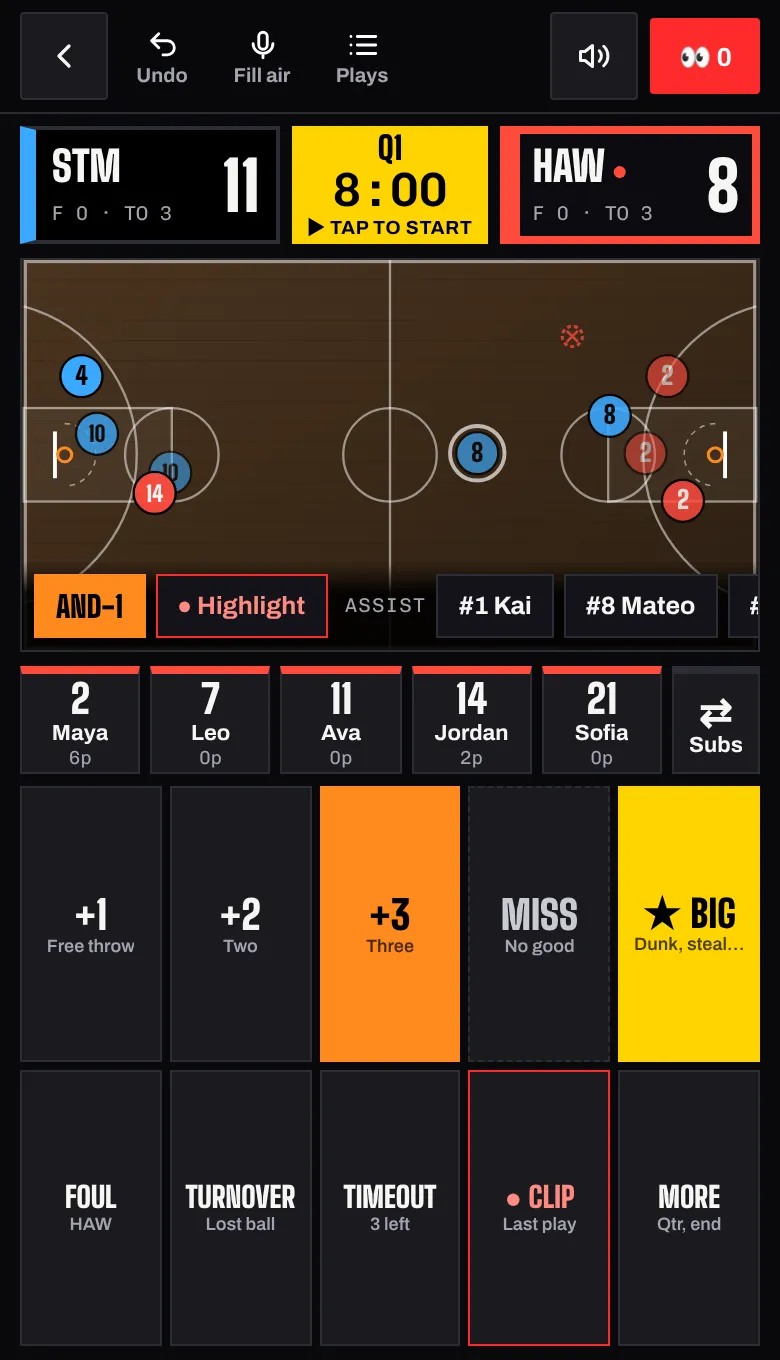
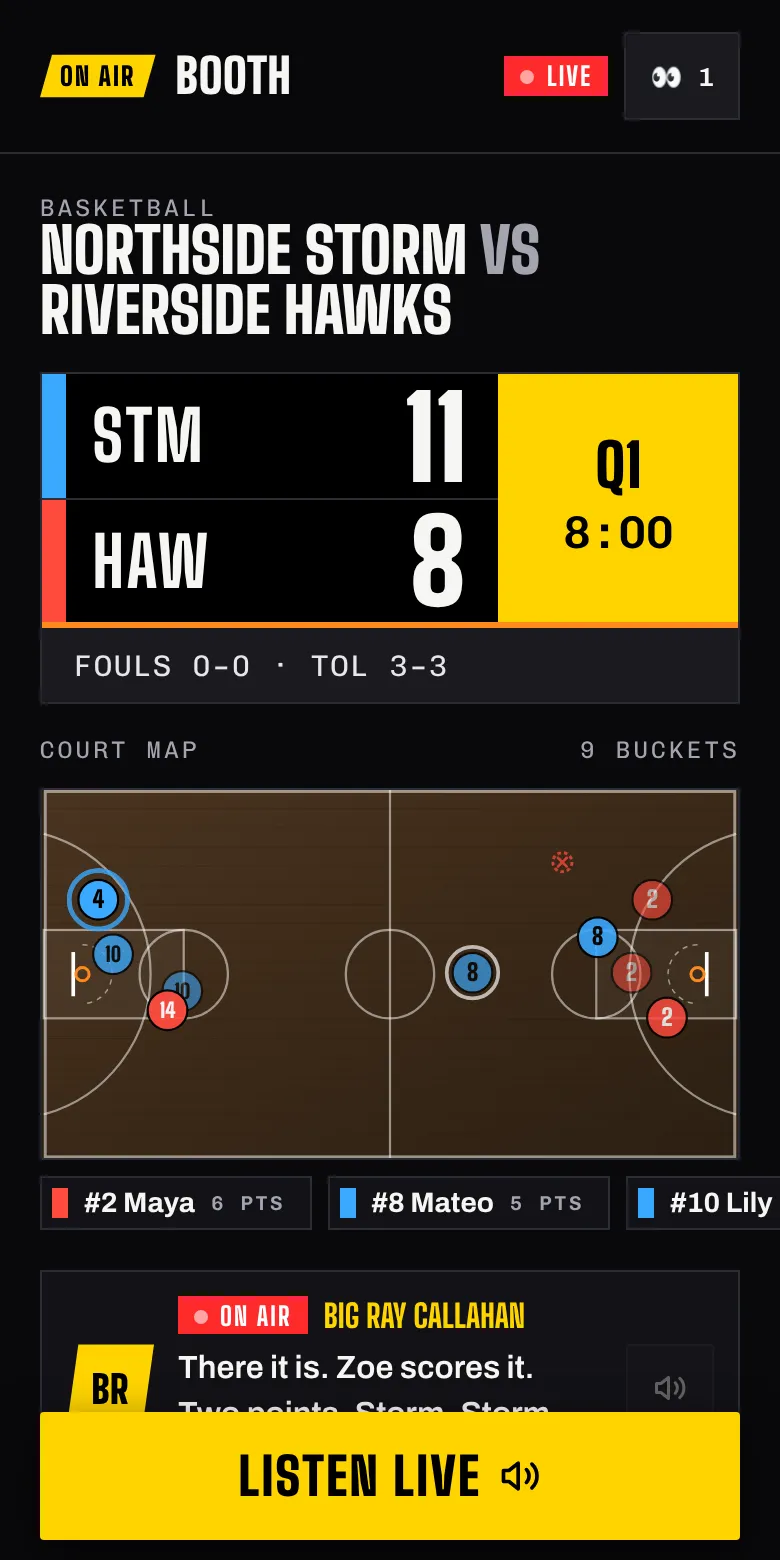
Maya from downtown! Storm lead 11 to 8.
Tap the field.
Hear the call.
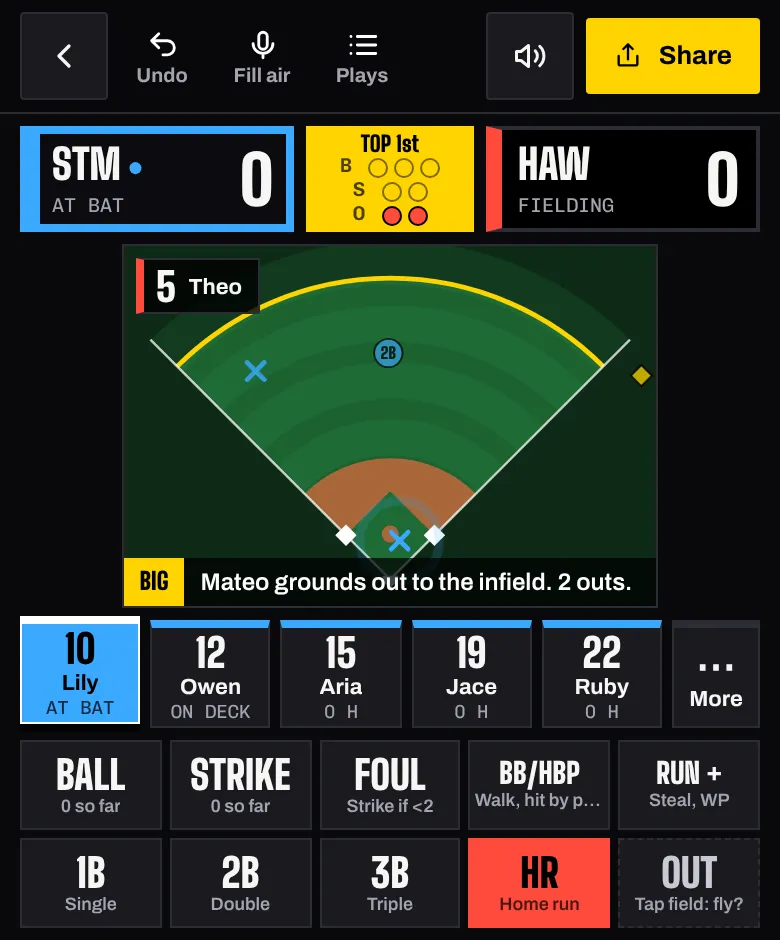
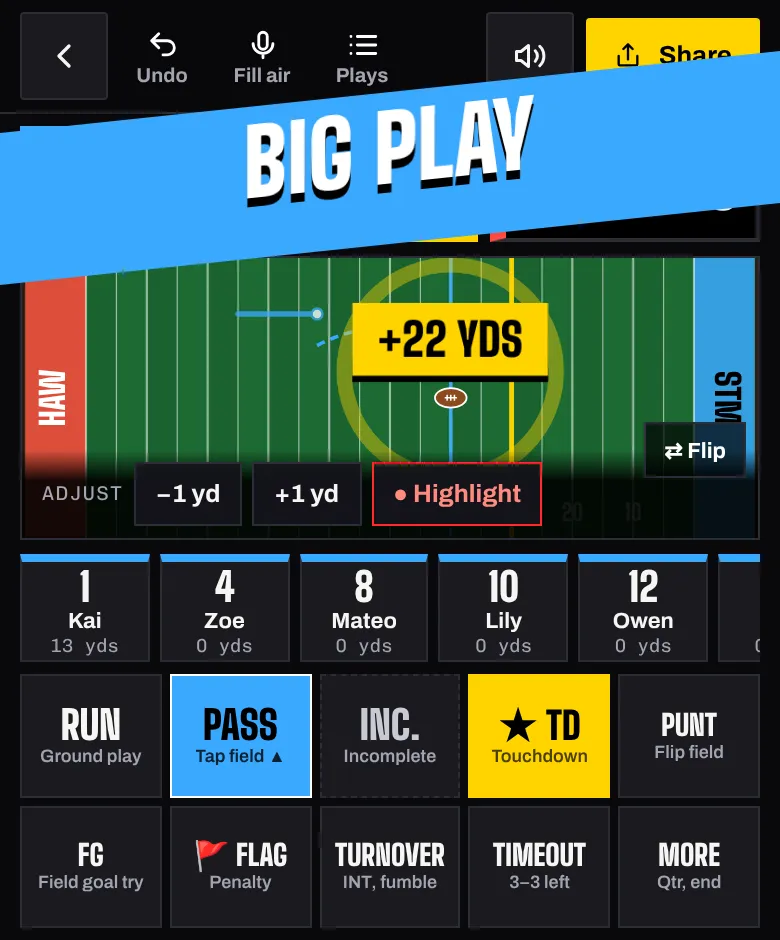
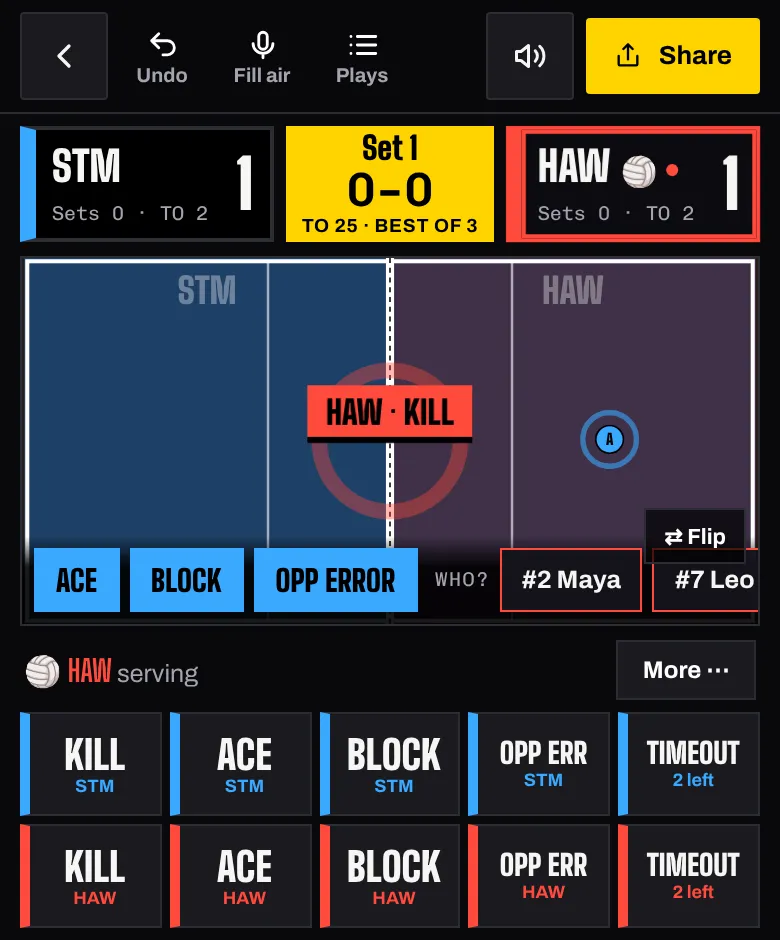
Pick the player, tap where the play happened, and the announcer takes it from there. OnAir Booth knows the score, the count, the down and distance, the runs and who's heating up, so every call sounds like the pros.
- Score with one thumb. The court, score and buttons always fit on the screen.
- The announcer notices runs, ties, lead changes and big nights on their own.
- Mark a highlight, take an undo, switch teams automatically after every possession.
Grandma has
a courtside seat.
Text one link to the team group chat. Anyone who can't make it sees the score, a live court with every basket, and can listen to the call live, on their own phone.
- No app and no login for fans. Just tap the link.
- Listen Live with the announcer they pick, from Big Ray to Kid Mode.
- Send cheers from the couch that pop up on the scorer's screen.
Highlights before
the bus leaves.
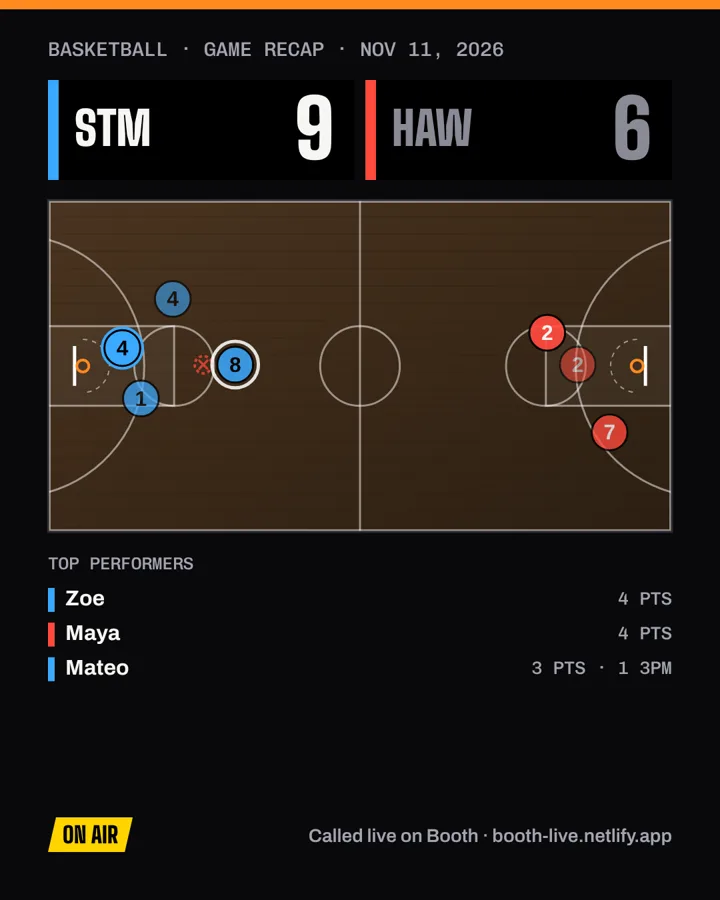
When the game ends, OnAir Booth builds a share-ready recap: the final score, the shot chart, top performers and the biggest moments. Post it straight to Instagram, Facebook or the team chat.
- One tap to share the recap image.
- Full box score with shooting percentages for every player.
- Every game saved, with season stats that build up automatically.
Seven announcers.
One of them could be you.
Every announcer has their own personality and calls the game their way. Switch any time, even mid-game.
Well, how about that. This crowd is on its feet.
Are you kidding me?! From downtown!
Now that is how you do it. Great communication.
That's OUR team! Refs, you seeing this?
High-leverage moment. That flips the lead.
KABOOM! High fives for the Hawks!
Record the script once, and every call is in your voice.
Every stat. No clipboard.
Whoever keeps score is already building your stat sheet. OnAir Booth turns every tap into data you can actually coach from.
Points, field goals, threes, free throws, rebounds, assists, steals, blocks and more, for every player.
See where every make and miss came from, by player, across the whole game.
Pitch counts, rest days and a pitcher stress score under Little League or USSSA rules.
Download every player's stats as a spreadsheet file after each game.
Free to call the game.
Fans always watch and listen free. Upgrade when you want the full broadcast sound.
Free
- Score all four sports
- All seven announcers
- Live fan links with the court map
- Recap images, box scores and stat export
- Your five most recent games
Pro
- Everything in Free
- Realistic broadcast voices for you and every fan
- No daily voice limit
- Full game history and season stats
- Cancel any time
Good to know
Do fans need to download anything?
No. Fans tap the link you send and the game opens in their browser, on any phone or computer. No account either.
Does it work on iPhone and Android?
Yes. OnAir Booth runs in Safari, Chrome and every modern browser. Add it to your home screen and it opens like an app, even with weak signal at the field.
Where does the announcer's voice come out?
From the scorer's phone, so you can plug it into a speaker for the crowd. Fans following the link hear it on their own phones.
What about kids' privacy?
OnAir Booth only needs first names or numbers. Games aren't public unless you share the link, and there are no ads or tracking. Read the privacy policy.
Can I record my own announcer voice?
Yes. Pick Your Voice, open the Voice Studio and read the short lines on screen. Booth stitches them into every call, with names and scores dropped in.
Your next game is on the air.
It takes about a minute to set up. Pick a sport, name the teams and go live.
Start a game, free